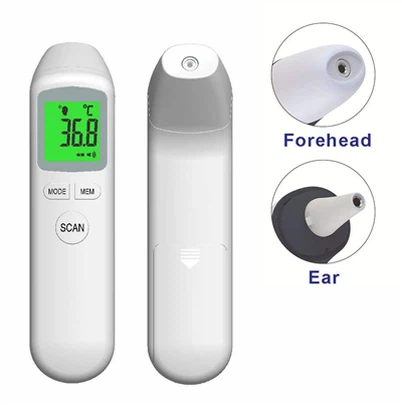
IR Thermometer
Type:ir thermometer
Backlight:Pink, purple, etc
Item No.:HS-110
- Fast Delievery
- Quality Assurance
- 24/7 Customer Service
Description
Product Description
Parameter of IR Thermometer:
|
Type |
ir thermometer |
|
Backlight |
Pink, purple, etc |
|
Item No. |
HS-110 |
|
Accuracy |
32 ℃-42 ℃ for body ( ± 0.2 ℃(±0.4°F) |
|
Measurement time |
ir thermometer is fast test monitor of 1s measurement |
|
Memory |
32 memories |
|
Application |
ir thermometer can test the temperature of Body and Object |
IR Thermometer
2 modes
The body mode: used to take the temperature of living things, also known as the forehead mode. This mode is typically used by healthcare providers in clinics, hospitals, and other healthcare facilities to check the fever of patients.
The object mode: used to measure the temperature of inanimate objects. This mode helps to identify hotspots or areas of high temperatures to avoid accidental burns or overheating.

3 Colors backlight
The backlights of an infrared thermometer serve a very important purpose. They provide a clear and easy-to-read display, even in situations where lighting conditions are less than optimal. For instance, medical professionals may need to take the temperature of a patient in a dark hospital room, or an engineer may need to take a reading in a poorly lit factory floor. The backlights of the infrared thermometer make it possible to do so quickly and accurately.
IR Thermometer
non-Contact
With just a simple scan of the forehead or the temporal artery, the thermometer can provide an accurate reading within seconds. This makes it a useful tool for medical professionals who need to quickly assess patients' temperatures in a clinical setting.
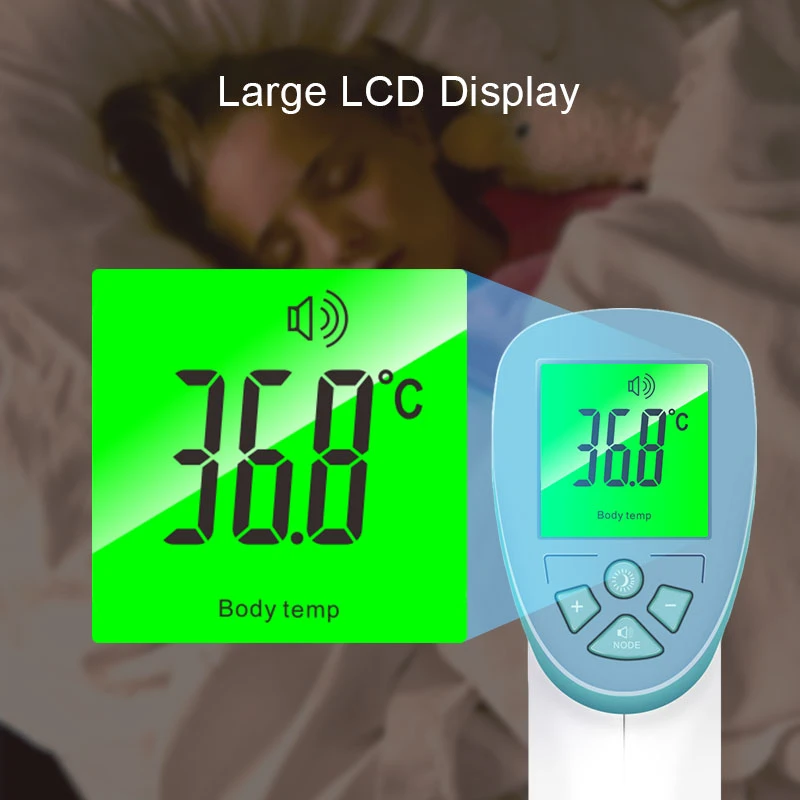
Features
1.Specially designed for measuring the body temperature, with a dynamic
offset for the ambient temperature and body temperature.
2.Exclusively using the infrared probe for temperature measurement, with a
high accuracy of measurement and a more stable performance
3. Providing the function of sound notification of higher body temperature.
4.Providing the function of sound notification of higher body temperature.
5.Capable of storing 32 sets of measurement data.
6.3 colors backlight LCD digital display (Red, Orange, Green)
7. Providing two temperature modes.

| Menu | Function | "-" | "+" | Default | Remarks |
| F1 | Deviation value setting |
Decrease 0.1℃ | Increase 0.1℃ | 0.0℃ | object mode is useless |
| F2 | Alarm value setting | Decrease 0.1℃ | Increase 0.1℃ | 38℃ | Effective range:±3℃ |
| F3 | °C/°F change | ℃ | °F | ℃ |
Warning:
- Keep the sensor and probe cavity clean before and after use.
- To ensure the accuracy of measurement, it is recommended to start measurement after ten minutes when carrying the thermometer to a new environment.
- Wait for 10 minutes to measure body temperature after measuring extremely high temperature or extremely low temperature objects.
- Wait for 5 minutes to start a measurement when a measuring target (object or human)is from an environment with enormous difference in temperature.
- Breeze,water,sweating,cosmetic on forehead may affect measurement.Do not measure body temperature in 30 minutes after exercise, bath or meals.
- Do not allow young children to operate the appliance or use as a toy.

Trouble shooting
LCD display"LO"or"HI"
1.Breeze,water,sweating, cosmetic on forehead may affect measurement. 2.Check deviation value setting.Defaulted value is 0.8°C. 3.While if the testing environmental temp changes so enormously or if the thermometer is used directly from high -temp object to very low-temp one,the measurement difference will happen.The thermometer should be kept in a relative stable environment for 10 minutes to get heat balance before starting a new measurement.4.Ensure measurement distance is 5cm to 8cm.
No response when pressing measurement button:
1.Take out and reassemble battery. 2.Check if the thermometer is under menu set up In procedure of menu setting,thermometer is unable to measure and therefore no response.
No display or improper display: 1.Take out battery and install battery again.
No beeper: 1.Check if the beeper is switched off.
Shut off right after switching On: 1.Check battery level or take out and install thebattery again.

Company Profile


Good reviews

Send Inquiry
You Might Also Like